存档

文章标签 ‘windows’

2010年2月重装电脑

2010年2月2日 没有评论

从上次重装系统到现在快要半年了,按国际惯例,国人习俗,个人习惯现在又到了重装电脑系统的时间了。到目前为止我觉得我的Windows 7系统不错,还是很稳定的。不过重装一遍还是有助于清理垃圾,提高系统性能的。我的数据平常都存在D盘,几个常用的软件也是存在D盘的绿色版(我用portable apps suit)。所以重装一次也并不麻烦。

安装的软件和旧系统基本差不多。只有几点不同。

  1. Windows 7 Enterprise 比 Professional 版多的几个功能我用不上。所以这次就装了Professional.
  2. Office装了2010 beta感觉不错。
  3. 去掉了几个不常用的软件(ipass, Blackberry DM…)

下面是新旧系统中的软件比较:

阅读全文…

分类: 浮生小记 标签:

修复Windows XP/Vista中点击右键反应慢

2009年9月16日 没有评论

有些电脑打开文件和点击鼠标右键特别慢,则多数情况下是由于Windows Shell扩展被破坏造成的,所谓的优化软件经常导致Shell扩展被损坏。具体症状为。

  • 在文件管理器中打开文件特别慢
  • 在文件管理器中点击鼠标右键弹出菜单出现得特别慢
  • 对EXE,文件夹操作时一切正常
  • 但是如果将网线拔掉,速度就会恢复正常

如果你的电脑符合这些症状,可以试试将以下方法。

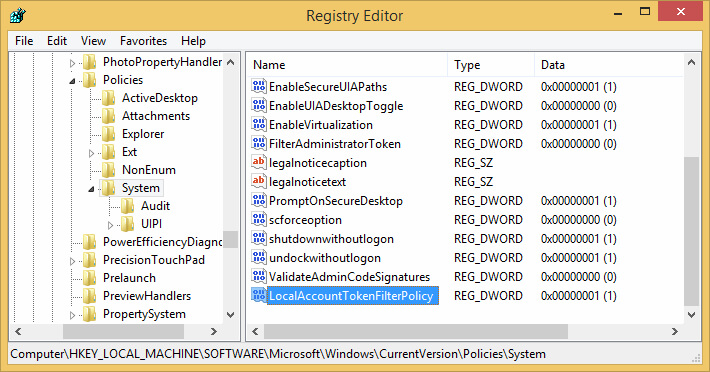
  1. 运行Regedit.exe到注册表中,定位-到以下两个主键:
    [HKEY_CLASSES_ROOT\*\shellex\ContextMenuHandlers] [HKEY_CLASSES_ROOT\*\shellex\PropertySheetHandlers]
  2. 先将ContextMenuHandlers更名为ContextMenuHandlers-BAK。在大多数情况下问题就解决了。
  3. 如果不行,再将PropertySheetHandlers更名PropertySheetHandlers-BAK。

这样做以后会造成点击鼠标右键没有“open with”菜单,可以试着是将注册表键值下的软件卸载后再重新安装,有可能也能解决这个问题。

分类: 备忘记录 标签:

如何在Vista 和Windows 7中禁用,删除,卸载Defender

2009年9月15日 没有评论

很遗憾,在Vista和Window 7中无法完全删除或卸载Windows Defender。他是和系统集成在一起的。你可以禁用它但不能通过正规方法卸载它。不要尝试“完全卸载”等第三方软件,他们将带来更多问题。

禁用Windows Defender并不是指在控制面板的服务中禁用Windows Defender 服务。这样做会导致系统错误。下面才是正确的步骤。

Windows 7

  1. Open Windows Defender program by typing Windows Defender in Start menu search field.
  2. Once the program opens, go to Tools > Administrator. Deselect the option named “Use this program” and click Apply.

Vista

阅读全文…

分类: 备忘记录 标签:

2009年8月重装电脑

2009年8月20日 没有评论

从MSDN上得到了Windows 7的RTM版本。上次重装系统好像还是去年的事情,乘这个机会重装了电脑。到目前为止觉得Windows 7很不错。至少比Vista强。

按惯例附上这次安装的软件列表。

  • Windows 7 32bit Enterprice English version
  • Office Enterprise 2007 with SP2 English version
  • Adobe Reader 9 English version
  • 7-zip 4.65
  • Cisco VPN Client 5.03
  • Ipass 3.65
  • Windows Live 2009
  • eWallet 6.1.3
  • RescueTime
  • Wakerave 1.9
  • Virtual PC
    下面是新旧系统中的软件比较。基本差不多。

新系统中安装的软件

原系统中安装的软件

Windows 7 32bit Enterprise English

Vista Business 32bit with SP1 English
Office Enterprise 2007 with SP2 English Office Enterprise 2007 with SP1 English
Adobe Reader 9.13 English version Adobe Reader 9 English version
  Mcafee 8.5i
7-zip 4.65 7-zip 4.61
Cisco VPN Client 5.03 Cisco VPN Client 5.0
iPass 3.65 iPass 3.62
  Google Chrome
Windows Live 2009 Windows live Wave 3 with Polaroid plug-in
eWallet 6.1.3 eWallet 6.0
RescueTime RescueTime
Wakerave 1.9 Wakerave 1.9
  Blackberry Desktop manager 4.3
  Embassy Trust Suite by Wave Systems 2.1.026
Virtual PC for Windows 7  


上次重装电脑是在(5 Dec 2008)

分类: 浮生小记 标签:

Account Lockout Tools

2009年5月13日 3 条评论

中文说明详见http://www.oheng.com/tips/280

After you determine the pattern for the account lockouts and narrow down your scope to a specific client computer or member server, you should gather detailed information about all of the programs and services that are running on that computer. Some of the information that you should obtain includes:

  • Mapped network drives
  • Logon scripts that map network drives
  • RunAs shortcuts
  • Accounts that are used for service account logons
  • Processes on the client computers
  • Programs that may pass user credentials to a centralized network program or middle-tier application layer

The following sections discuss the tools that you can use to help you gather information from the network environment.

The LockoutStatus.exe Tool

The LockoutStatus.exe displays information about a locked out account. It does this by gathering account lockout-specific information from Active Directory. The following list describes the different information that is displayed by the tool:

  • DC Name: Displays all domain controllers that are in the domain.
  • Site: Displays the sites in which the domain controllers reside.
  • UserState: Displays the status of the user and whether that user is locked out of their account.
  • Bad Pwd Count: Displays the number of bad logon attempts on each domain controller. This value confirms the .domain controllers that were involved in the account lockout.
  • Last Bad Pwd: Displays the time of the last logon attempt that used a bad password.
  • Pwd Last Set: Displays the value of the last good password or when the computer was last unlocked.
  • Lockout Time: Displays the time when the account was locked out.
  • Orig Lock: Displays the domain controller that locked the account (the domain controller that made the originating write to the LockoutTime attribute for that user).

阅读全文…

分类: 备忘记录 标签:

2008年12月重装电脑

2008年12月5日 没有评论

离上次重装电脑已经又有3个月了,电脑越来越慢,不得不再次重装。

按惯例附上这次安装的软件列表。

  • Vista Business 32bit with SP1 English version
  • Office Enterprise 2007 with SP1 English version
  • Adobe Reader 9 English version
  • Mcafee 8.5i
  • 7-zip 4.61
  • Cisco VPN Client 5.0
  • Ipass 3.62 
  • Google Chrome
  • Windows live Wave 3(MSN+Writer+Mail) including Polaroid plug-in for Writer
  • eWallet 6.0
  • RescueTime
  • Wakerave 1.9
  • Blackberry Desktop manager 4.3
  • Embassy Trust Suite by Wave Systems 2.1.026

好像和上次装的差不多。

上次重装电脑是在(12 Aug 2008)

分类: 浮生小记 标签: